Avatarlike
An Avatarlike is a component that sets up all the facilities needed to puppeteer an Avatar.
It contains an IK solver and physics animation components (if enabled).
It may be used to represent a User, but also NPCs. Since an Avatarlike is not necessarily tied to a User, it does not contain a character controller nor calibration data.
Adding an Avatarlike in the scene
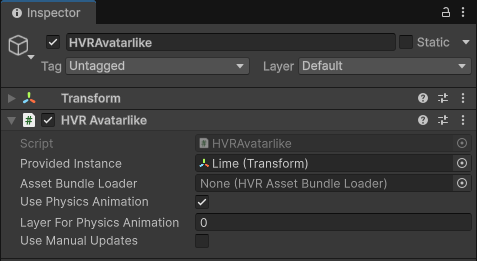
When you add an Avatarlike component on its own in the scene, that Avatarlike will be treated as an inanimate NPC.
- If you want to load an avatar present in the scene, set the Provided Instance to an avatar present in the scene.
- Otherwise, specify an HVR AssetBundleLoader component, which will load a built avatar.
- If you want the Avatarlike to be physically simulated, enable Use Physics Animation.
When the scene is started, this component will set up the provided instance, and you will be able to manipulate it.
Then, in the hierarchy of the HVR Avatarlike object:
- Go to HVRMultipurposeRig → HVRIK → RuntimeTargets. Move and rotate the child targets to define a new pose.
- If you want to fiddle with physics animation, head over to the physics animation page.