Avatar
An Avatar is a humanoid character, which can then be worn as a User or be spawned as an NPC.
Each Avatar is built into a file so that it may be loaded in-game.
Building an avatar
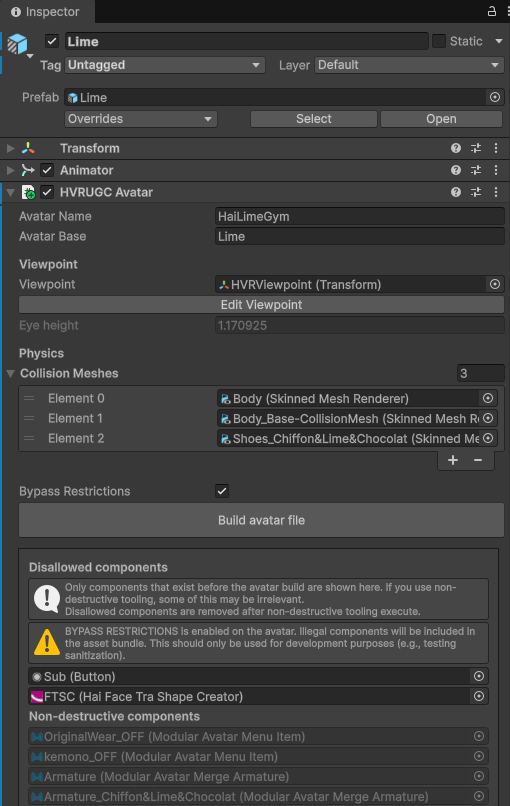
- Create a HVRUGC Avatar component in your avatar's root object (where the Animator component is).
- Edit the Avatar Name field. This will be used as the file name of your avatar.
- Edit the Avatar Base field. Example values are
Lime,Shinano,Milltina, etc.- This may be used to keep in-game settings consistent across avatars that use the same avatar base.
- Click Edit Viewpoint and change the viewpoint to match.
- In the Collision Meshes list, drag and drop the following:
- Add the mesh of your avatar's body, without clothing.
- Add the mesh of your avatar's face mesh, without the hair.
- If you are wearing shoes, add the mesh of your shoes.
- Then you can press Build avatar file button.