⚙️ Transfer Assistant 1.0.1
Fixes:
- Fix TreeView was incompatible with Unity 6.5.
Fixes:
A new version of Blendshape Viewer has been released.
This update introduces a bunch of optimizations to make the UI faster on avatars with a large number of blendshapes. The UI is also localized into multiple languages.
In addition, pressing the ALT key will now show the original picture without the blendshape applied so that you can better pinpoint the differences.
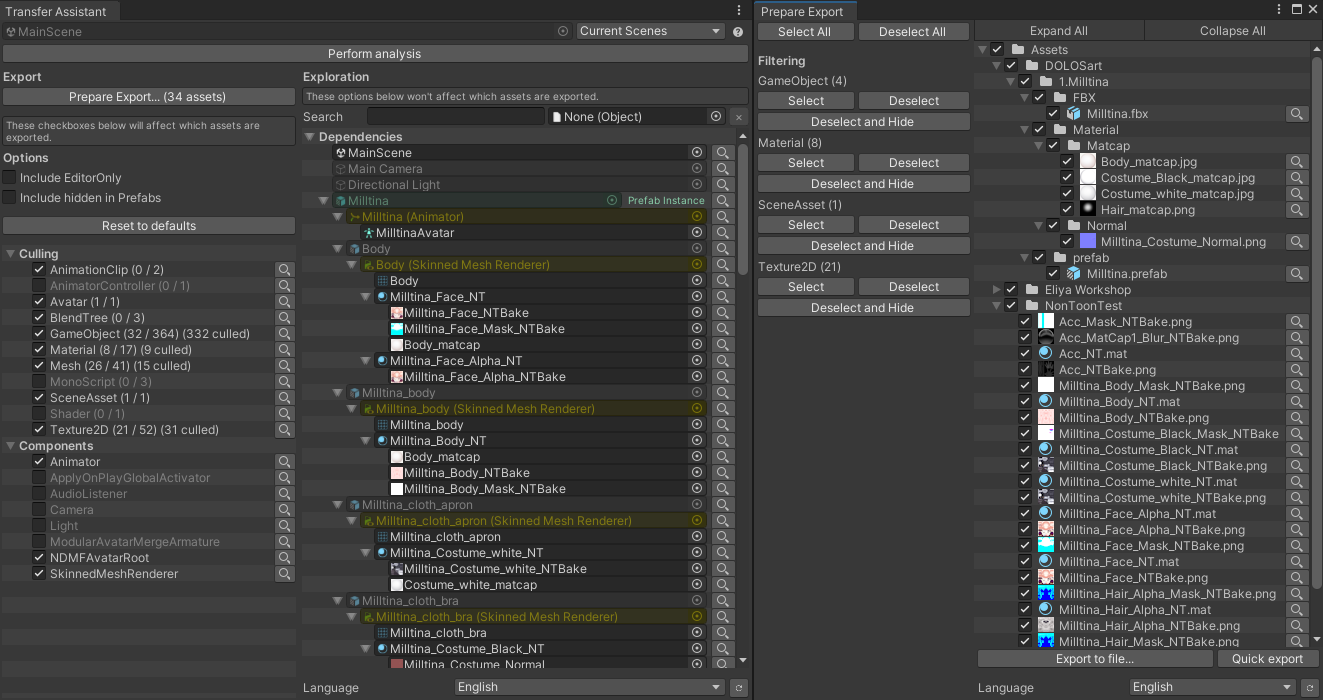
I am releasing Transfer Assistant. This tool will assist you when you want to use the .unitypackage export function to transfer assets from one project to another project, while stripping assets that you deem unnecessary.

This tool will deliberately ignore some asset references, keeping only assets that you actively need.
If an unexpected asset is being included in the export, the Transfer Assistant user interface can help you locate which object or component depends on it.
The intended use for this tool is to export an avatar project file between different games.
A new product has been published: Vixxy is a user-accessible interface to toggle or trigger effects on avatars in Basis Framework projects.
It is primarily intended to be used through the Unity inspector directly by non-programmer users.
Effects may be triggered based on the menu, voice, various measurements on the avatar, face tracking, or inputs received from external hardware and software.
It can toggle objects ON and OFF, change shader material settings, blendshapes, textures inside materials, and the text inside TextMeshPro components.
A language selector has been added to the Recalculate Normals and Generate Twist Bones components, in Japanese.
All Prefabulous Universal components now have a clickable help URL in the inspector.
Components from Prefabulous Universal will now run with NDMF 1.8 when building the avatar for non-VRChat platforms and apps such as Resonite.
A language selector has been added to Skinned Mesh Constraint Builder:
In Edit Mode, hide objects that are hidden by the visibility icon in the scene hierarchy tab.
Fix object change events should no longer trigger in Play Mode, which was causing errors in the logs.
The above changes have been contributed by mekanyanko (めかにゃんこ).
VRCConstraintBase.GetPerSourcePositionOffsets() is no longer public.
HVR Basis Face Tracking has been updated.
It should work better with ARKit avatars, as we were not requesting some face tracking traits correctly, so VRCFaceTracking would not send them to us. No avatar reupload is needed.
This update includes some performance improvements and some code preparation for future use by HVR Basis AvatarOptimizer, so that avatar optimization tools may detect which blendshapes should not be removed from the mesh.
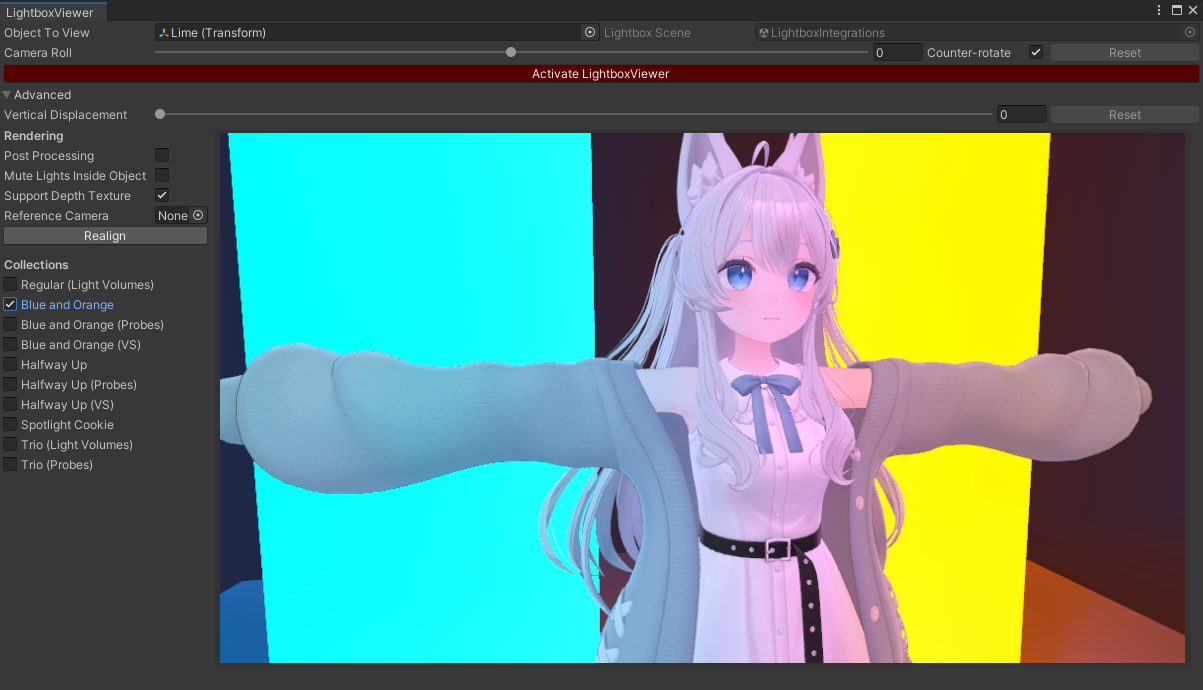
Lightbox Viewer has been updated to support URP projects.
Lightbox Viewer is now compatible with the following render pipeline configurations:
Features:
Changes:
Fixes:
HVR Basis Face Tracking has been migrated to the new Basis networking system.
Instructions for previous Face Tracking avatar users:
If you have previously used Face Tracking in Basis, do the following:
Remove all components that were part of the previous Face Tracking instructions. That includes:
To install the new Face Tracking, do the following:
The new face tracking has been modified to work with the Steam version of VRCFaceTracking (it now has OSCQuery), but it should also work with old versions of VRCFaceTracking that were not installed from Steam.